From Fabric Choice to Final Preview: What a 3D Apparel Configurator Actually Does
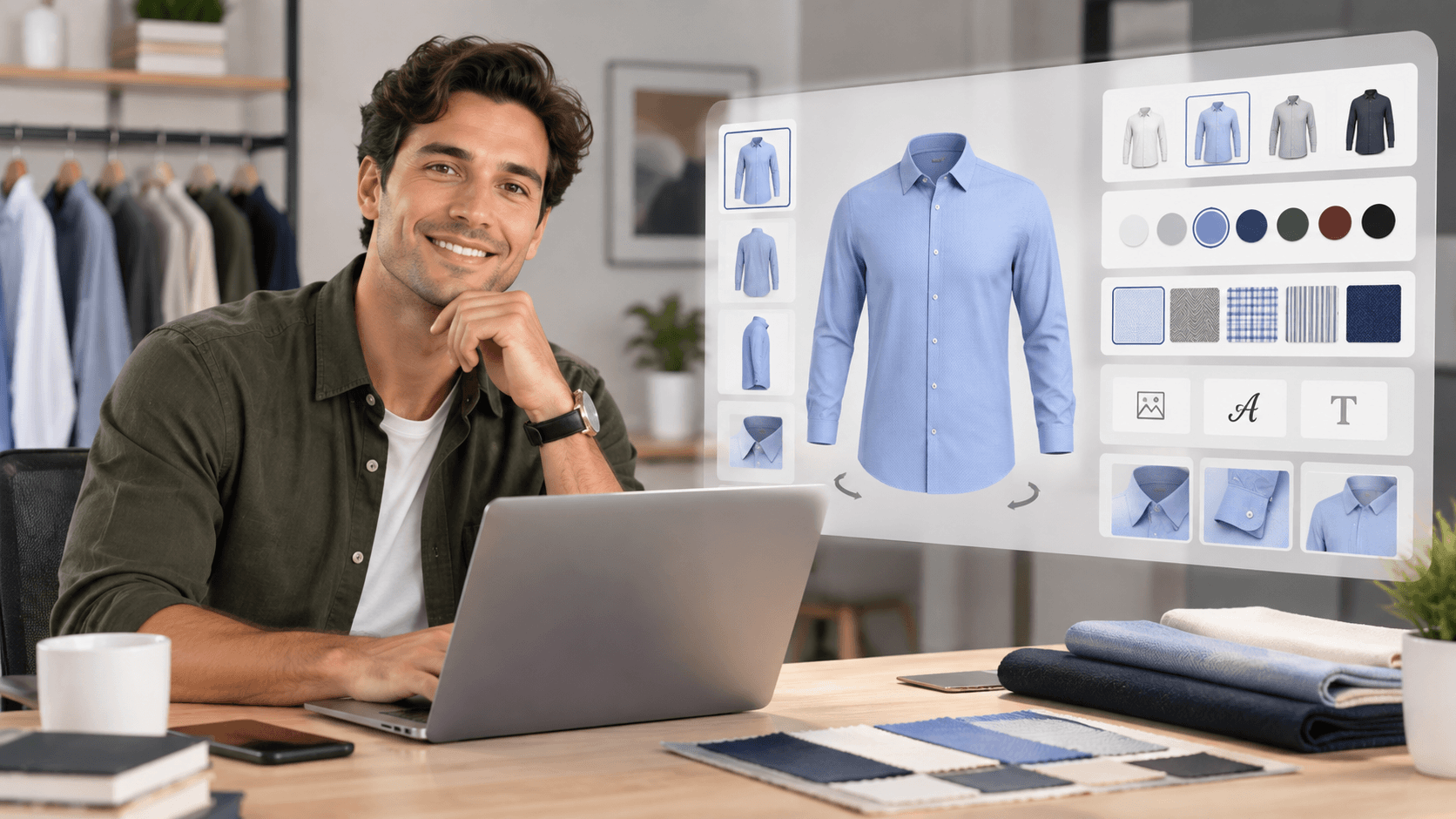
A 3D apparel configurator gives customers a way to change garment details and see those changes on a 3D model before moving forward with a purchase. MS 3D Configurator provides real-time 3D previews while customers work with available fabrics, colors, patterns, styles, images, logos, and personalized text.
Mirrorsize’s 3D apparel configurator, MS 3D Configurator, is built around this type of interactive product customization. It currently supports shirts, T-shirts, jackets, Kandura, vests, trousers, hoodies, long coats, 2-piece suits, 3-piece suits, polo T-shirts, and shorts.
Starting With the Garment
The first role of a 3D apparel configurator is to give the customer a product to customize. The experience begins with the garment category and the design options made available for that product.
Mirrorsize states that customers can choose from fabrics, colors, patterns, and styles. These choices can be applied within the configurator so the customer can build a version of the garment around the options provided by the business.
A 3D apparel configurator therefore does more than display a product. It turns the product into an interactive design experience where multiple elements can be changed while the customer is viewing the garment.
Changing Color, Fabric, Pattern, and Style
Color is one of the design elements that can be changed inside the 3D apparel configurator.
Mirrorsize allows customers to explore multiple color options and see the updates on the 3D model. The configurator also supports fabrics, patterns, and styles.
The same 3D apparel configurator can therefore show different combinations without requiring the customer to rely only on separate static representations.
The changes appear in the 3D view as the customer works through the available options.
Adding Images, Logos, and Text
A 3D apparel configurator can also support personalization beyond fabric and color.
Uploading Images and Logos
MS 3D Configurator allows customers to add images or logos to garments. Mirrorsize states that an uploaded image can be adjusted by position, scale, and rotation. Logos can also be positioned, scaled, and rotated.
This gives the 3D apparel configurator a way to show placement changes directly on the garment rather than describing the placement only in text.
Adding Personalized Text
Text can also be added to the garment. Mirrorsize says users can add personalized text, modify its style, and see the update on the 3D model.
These tools place color changes, imagery, logos, and text inside one 3D apparel configurator experience.
Seeing the Product in Real Time
Visualization is a central part of what a 3D apparel configurator does.
Mirrorsize describes MS 3D Configurator as providing real-time 3D previews and a view from different angles. As customers make changes, the model updates so they can review the configured version.
A 3D apparel configurator therefore places design selection and visualization within the same digital process.
The Mirrorsize product page also describes the 3D apparel configurator as mobile optimized, allowing apparel customization across supported devices.
Why the Final Preview Matters
The value of the final preview comes from visibility.
Mirrorsize states that clearer visualization gives customers a more precise expectation of the configured product. The company also connects this transparency with fewer order errors and a lower likelihood of returns caused by dissatisfaction.
A 3D apparel configurator can show the configured product after color, fabric, pattern, style, logo, image, or text changes have been applied.
The same process can reduce the need for multiple physical samples because variations can be visualized digitally.
How the Configurator Fits Into E-Commerce
A 3D apparel configurator is not limited to a separate design environment. Mirrorsize states that MS 3D Configurator can integrate with Shopify, WooCommerce, WordPress, and other platforms.
The product also includes API/SDK integration and can be accessed through a URL or iFrame depending on the plan. Mirrorsize provides dashboards for product information, subusers, and reporting within its current plans.
From Choice to Preview in One Digital Flow
The simplest way to understand a 3D apparel configurator is to follow the customization process.
The customer starts with a garment, explores available fabrics, colors, patterns, and styles, and can add details such as images, logos, or personalized text. The customer can then review the result in a real-time 3D view and see the configured product from different angles.
That is the core function of MS 3D Configurator. It brings design selection and visualization into the same experience.
For businesses offering customizable garments, a 3D apparel configurator provides a structured way to show product variations digitally rather than requiring every possible combination to exist as a separate static product image.