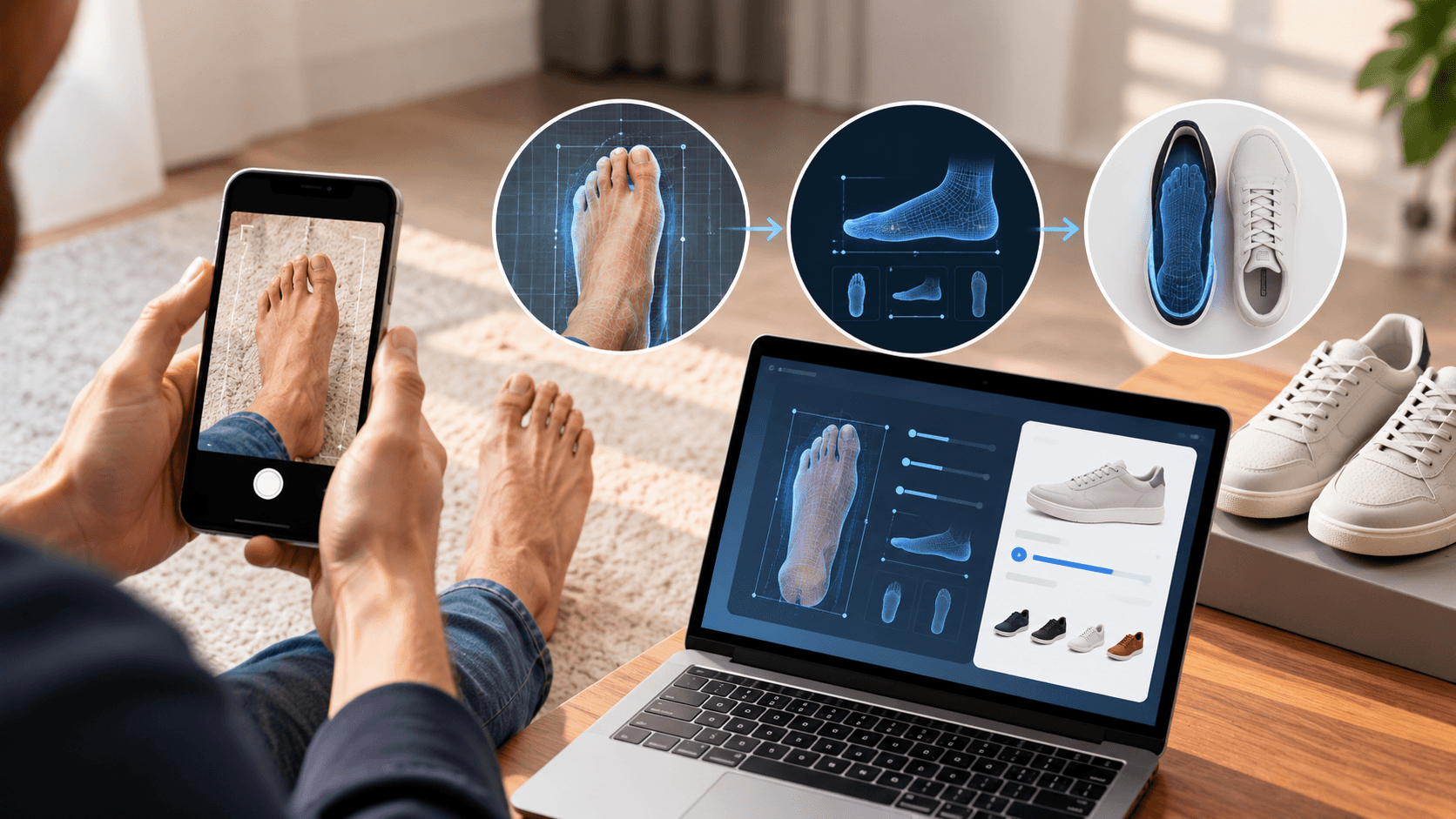
From Foot Photo to Shoe Size: How Digital Shoe Sizing Works Without a Reference Object
Digital shoe sizing can begin with a photo of the foot. Instead of placing a coin, card, ruler, or another object beside the foot, Mirrorsize’s MS ShoeSizer is designed to work without a reference object.
The process uses one image of the left foot to generate foot measurements and a shoe size recommendation. Mirrorsize describes MS ShoeSizer as patent pending and device agnostic, with support across smartphones and tablets.
What Reference-Object-Free Digital Shoe Sizing Means
MS ShoeSizer takes a reference-object-free approach. Mirrorsize specifically states that users can measure their feet without coins, cards, or rulers.
That makes the reference-object-free part of digital shoe sizing straightforward: the user does not need to position an additional object beside the foot before capturing the image.
The MS ShoeSizer workflow begins with the app, followed by a single photo of the left foot. The system then provides foot measurements and a shoe size recommendation.
How the Digital Shoe Sizing Process Works
Mirrorsize presents the MS ShoeSizer journey as four steps.
1. Open the App
The user starts with the MS ShoeSizer app, which Mirrorsize lists as available through the App Store and Google Play.
2. Capture One Foot Photo
The user takes a picture of the left foot. MS ShoeSizer is described as a one-shot scan, meaning one photo is used for the sizing result.
This is a key part of digital shoe sizing because the user does not need to capture a series of images or place a separate scale object in the frame.
3. Receive Foot Measurements
After capture, MS ShoeSizer generates foot measurements. Mirrorsize states that the product provides millimeter-level measurements and foot dimensions in seconds.
The measurement stage gives digital shoe sizing a direct link between the captured image and the information used for sizing.
4. Receive a Shoe Size Recommendation
The final step is the size recommendation. MS ShoeSizer combines foot measurements with brand fit matching so the user can receive a recommended shoe size.
Mirrorsize also allows businesses to upload size charts within MS ShoeSizer plans.
Why Brand Fit Matching Matters
Digital shoe sizing is not limited to producing foot dimensions. MS ShoeSizer also includes brand fit matching.
Mirrorsize describes this feature as helping users get the right size for every brand. The product combines foot measurements and size recommendations, while uploaded size charts give businesses a way to connect the sizing process with their footwear information.
This makes digital shoe sizing a process that connects measurement with sizing information rather than stopping at the foot dimensions alone.
One Photo Instead of Extra Measuring Objects
The one-shot process is one of the product’s listed differentiators for digital shoe sizing.
A user takes one photo of the left foot, and no coin, card, or ruler is required in the image.
Mirrorsize also describes MS ShoeSizer as device agnostic. It works across smartphones and tablets, so the capture process does not depend on specialized measuring hardware.
Digital Shoe Sizing Can Connect With Business Systems
MS ShoeSizer supports API/SDK integration. Mirrorsize also lists dashboards for monitoring customer information and users, reporting, and scan invitations shared through email as part of its current plans.
For businesses, this means digital shoe sizing can form part of a broader digital workflow rather than functioning only as a stand-alone consumer action.
Size charts can also be uploaded within the MS ShoeSizer setup, supporting the connection between foot information and brand-specific sizing.
What the User Actually Needs to Do
From the user’s point of view, the workflow is short.
The customer opens the app, captures a photo of the left foot, receives foot measurements, and then receives a shoe size recommendation. No reference object is required, and Mirrorsize states that the measurement process works across smartphones and tablets.
That is the core idea behind reference-object-free digital shoe sizing. The user does not need to place a ruler, card, or coin beside the foot. The photo itself becomes the starting point for the digital shoe sizing process.
From Foot Image to Brand-Matched Size
Digital shoe sizing becomes more useful when measurement and recommendation are part of the same flow. MS ShoeSizer is built to provide both.
The one-shot capture produces foot dimensions, while brand fit matching connects the result to shoe sizing. For businesses, uploaded size charts and integration options provide a way to bring that process into their own digital environment.
In simple terms, the MS ShoeSizer approach moves from foot photo to measurements to a shoe size recommendation without requiring a reference object in the image. That is what distinguishes its digital shoe sizing workflow and keeps the process centered on one capture, precise measurements, and brand-specific sizing information.