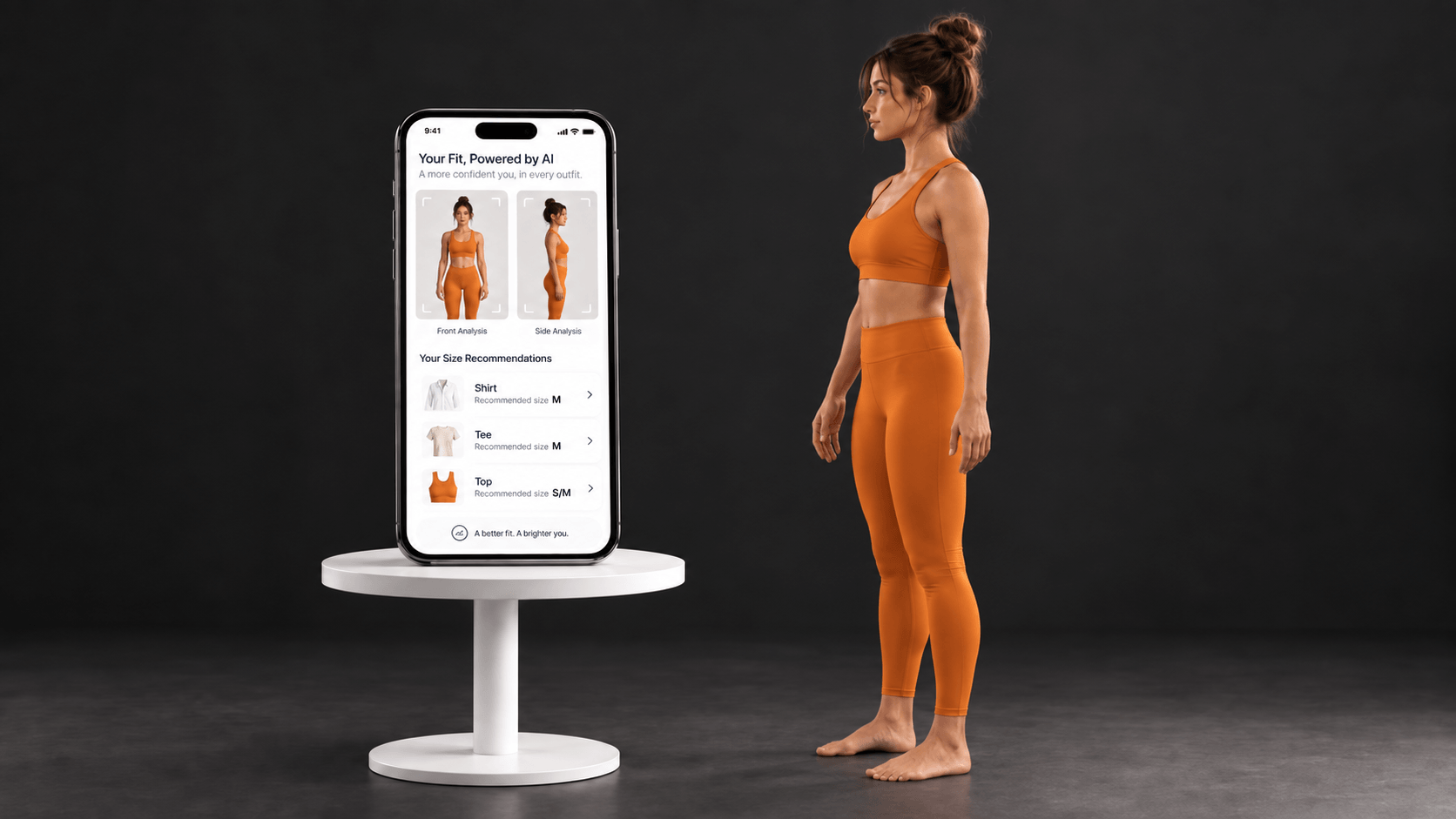
Camera-Based vs Questionnaire-Based Size Recommendation: How Do They Differ?
Camera-based and questionnaire-based sizing can lead to the same type of output: a recommended garment size. What changes is the information the customer provides and the way the sizing journey is completed.
Mirrorsize supports both approaches. MS Size2Fit uses guided front and side photos, while MS QuickSize uses six questions about the customer’s profile. Both approaches connect the customer with brand size charts, but they do so through different input methods.
What Is Camera-Based Sizing?
A camera-based size recommendation uses guided image capture as the starting point. With MS Size2Fit, the customer takes one front photo and one side photo using a smartphone or tablet.
Mirrorsize states that the process includes guided pose verification. The captured information is analyzed against the brand-specific garment size chart, after which the customer receives a personalized recommendation.
This camera-based process does not require special scanning hardware. MS Size2Fit works across smartphones, tablets, and web browsers. It can also work directly through a mobile browser, while native SDKs are available for Android and iOS applications.
What the Customer Does
The customer follows the photo guidance, captures the required front and side images, and receives the recommended size. Because the camera-based size recommendation works with the brand’s chart, the result is tied to the sizing standards used for that garment.
MS Size2Fit also supports Regular Fit and Tight Fit recommendations, allowing the sizing experience to include the shopper’s fit preference.
What Is Questionnaire-Based Sizing?
A questionnaire-based size recommendation removes the photo step. MS QuickSize asks customers six questions about age, height, weight, gender, and body shape.
No camera, photo, or body scan is required. Mirrorsize states that MS QuickSize evaluates the responses and matches the customer profile with brand size charts to provide a personalized recommendation.
The questionnaire-based size recommendation process takes less than 10 seconds according to the current MS QuickSize page. It can be integrated into websites and mobile applications and is also designed to work with Shopify and other eCommerce platforms.
What the Customer Does
Instead of positioning a phone for guided images, the customer answers the six questions. The questionnaire-based size recommendation then uses those responses as the input for matching the shopper with the business’s sizing information.
MS QuickSize supports apparel categories including T-shirts, shirts, trousers, jeans, jackets, uniforms, and sportswear. Businesses can upload and manage their own size charts so the recommendation follows their brand standards.
Camera Input and Questionnaire Input Are the Main Difference
The clearest difference between the two methods is the input.
A camera-based size recommendation starts with two guided photos. A questionnaire-based size recommendation starts with six customer responses. The output in both cases is a personalized clothing size recommendation connected to a brand size chart.
MS Size2Fit is a camera-based process with guided front and side images. MS QuickSize is a BMI-based process that does not require image capture.
MS QuickSize does not require customers to take body measurements or photos. MS Size2Fit instead begins with one front photo and one side photo.
How Brand Size Charts Fit Into Both Methods
The size chart remains important in both approaches.
For a camera-based size recommendation, MS Size2Fit analyzes the captured information against the garment’s size chart. Businesses can upload and manage apparel size charts so recommendations match the brand’s standards.
For a questionnaire-based size recommendation, MS QuickSize matches the customer profile with brand size charts. Businesses can also upload and manage their own charts for this process.
This means the difference between the two methods is not that one uses a brand chart and the other does not. Both are built around connecting customer information with the sizing standards provided by the business.
Integration Is Available for Both Sizing Routes
Mirrorsize supports digital integration for both methods.
MS Size2Fit offers APIs and SDKs for websites, Android apps, and iOS apps. MS QuickSize also supports integration with web applications, Android, and iOS, along with Shopify and other eCommerce environments.
A business can therefore place either a camera-based size recommendation or questionnaire-based size recommendation within a digital shopping journey. The customer experience changes according to the method selected, while the end goal remains a personalized garment-size result.
How Does the User Experience Differ?
From the user’s perspective, the difference is straightforward.
With a camera-based size recommendation, the customer completes guided image capture. With a questionnaire-based size recommendation, the customer answers six questions and does not use a camera or body scan.
MS Size2Fit and MS QuickSize show two ways to reach a personalized recommendation without asking customers to interpret a brand chart on their own.
For businesses comparing the two approaches, the most useful distinction is therefore the customer input and workflow. The sizing standards still come from the brand, and both methods are designed to return a size recommendation that matches those standards.